Health is deeply personal. When searching for medication side effects or condition symptoms, users need more than information—they need connection. As Lead Product Designer, I aimed to transform WebMD's search experience from a mere tool to a trusted, engaging resource. This collaborative project with Product Management, Development, and Editorial Departments sought to identify key user experience gaps and create a search interface that genuinely serves its audience. By leveraging user insights, we reimagined how people interact with critical health information.
Product design
Stakeholder management
Interactive prototyping
User research & testing
This case study explores an effort to enhance WebMD's Search experience, aimed at providing comprehensive health information. The project, involving Product Management, Development, and Editorial teams, focused on boosting organic traffic to the platform's search functionality.
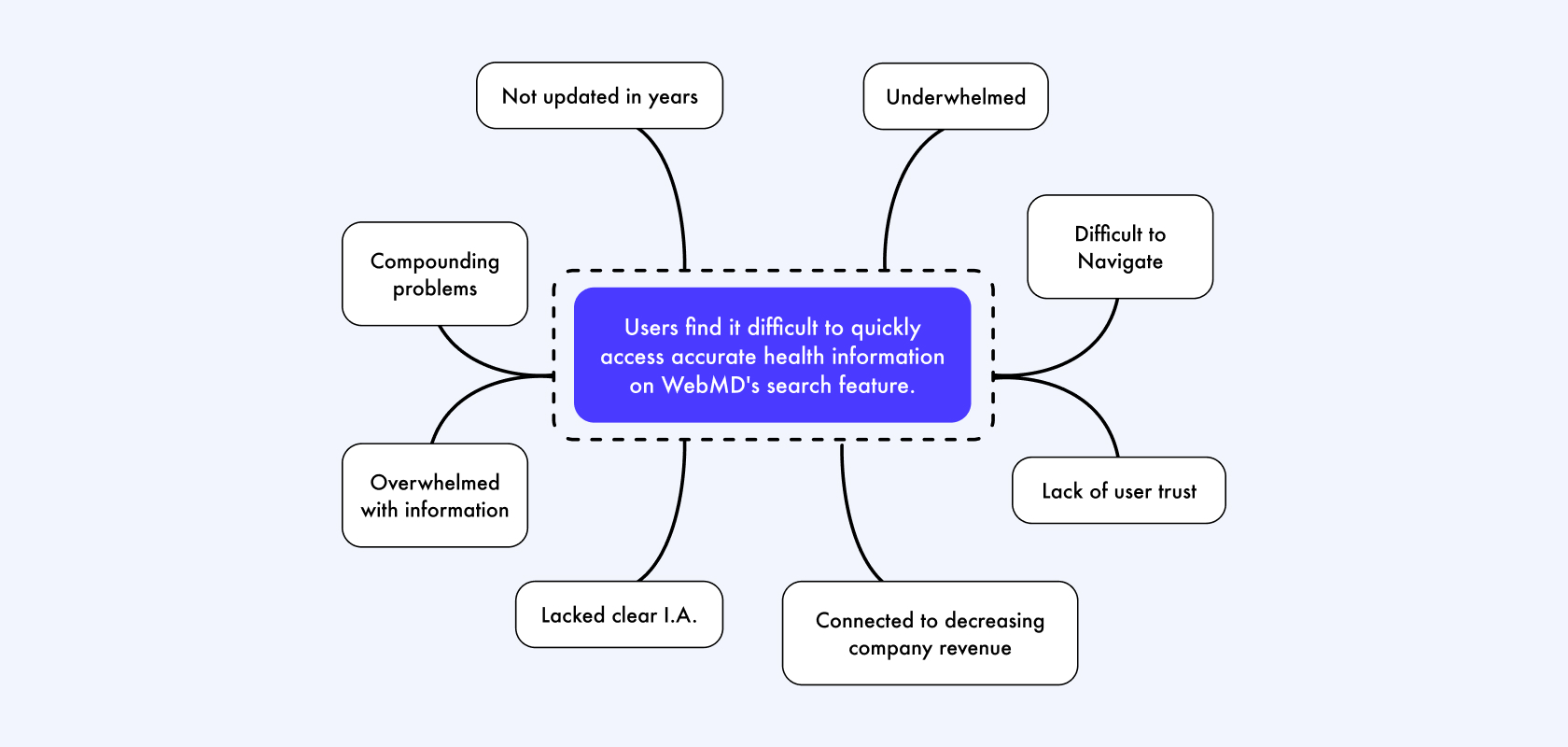
WebMD sees an increase in users accessing its site through Google, seeking health information. However, there's an opportunity to guide these users to more WebMD content, boosting engagement and ad revenue. Testing revealed users trust government and clinic resources more than health platforms, preferring clear, concise, and medically reviewed content. The problem lies in users' lack of trust in health platforms, limiting their use of internal search engines.
This case study explores an effort to enhance WebMD's Search experience, aimed at providing comprehensive health information. The project, involving Product Management, Development, and Editorial teams, focused on boosting organic traffic to the platform's search functionality.
User Behavior Analysis
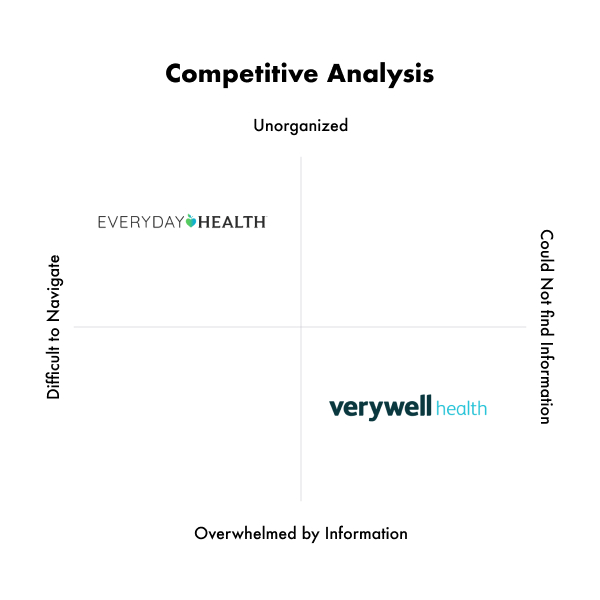
WebMD competes with industry leaders like Healthline, Mayo Clinic, and Everyday Health in delivering health information. To understand its standing, I conducted a S.W.O.T analysis and invited users to compare WebMD’s search functionality with its competitors. Through this study, participants shared valuable feedback on their experiences, shedding light on design strengths and areas for improvement in search usability.
Feedback That Informs
Eight participants (ages 20–46) conducted unmoderated searches on WebMD, Healthline, and Everyday Health to compare experiences and evaluate a new WebMD design. Key tasks included searching for topics, assessing search results, and comparing platforms for usability and relevance. Findings highlighted that while WebMD’s side effects tab drew attention, other sections were often overlooked.
Valuable Learnings
Users sought faster results, relevant filters, and clearer navigation, leading to streamlined search improvements for a better experience.

Users valued personalized, organized results.
Users appreciated descriptions for clarity.
Users selected links with engaging titles.
Users valued WebMD's sponsor section.
Health information was valued by user.
Users valued media content.

Users valued question-based results.
Users found links interesting but broken.
Users noticed text inconsistencies in results.
Users wanted clearer separation from ads.
Image links led to empty pages.
Users wanted drug results organized.
I considered adding a module at the top of search results, prioritizing content over ads. By ensuring consistent text formatting and introducing content type filters, we aimed to improve organization. Small images would be added to image results, linking to relevant pages. Verifying link relevance, spotlighting conditions like gout and asthma, and separating ads would align with the new WebMD design, creating a more structured and modern search experience.
I explored adding a module at the top of search results, prioritizing content over ads, and ensuring consistent formatting for links. Content type filters would improve organization, while adding images to image results boosts engagement. Verifying link relevance, spotlighting conditions like gout, and separating ads align with the new WebMD design, creating a more organized, user-friendly search experience.
WebMD Spotlight
A module designed to boost traffic to condition overview and drug pages by featuring drug and condition definitions, quick links, and highlighted coverage.
Filtering Search
Enhancing the navigation of the WebMD search engine involved adding filters to the search results, enabling users to filter results for news, articles, slideshows, etc.
Slideshows
Media content is presented in a blog post format with a clear, structured layout, allowing users to explore detailed results for deeper engagement.
Text Consistency
Standardizing search results with uniform link text size and weight, and bolding all searched terms.
All User Journeys
Edge cases for user experiences include scenarios such as misspelling a search query, providing a "Did you mean" suggestion, and handling error states where no results are found.
The redesign of the WebMD Search experience was an opportunity to streamline how users find critical health information. By focusing on user needs and applying a data-driven approach, I improved search accuracy and usability across platforms. This project reinforced the importance of iterative design and user feedback in creating intuitive, accessible solutions. The result was a more seamless experience that empowered users to access vital information quickly and efficiently.

Back to Top